The majority of Dynamics 365 CRM projects typically include some initial data load/migration activities as customers don't start from a blank sheet. Besides initial load of data there might also be a need for data integrations - there are a number of solutions for data migration or data integration with Dynamics 365 CRM - this post will explain why you should strongly consider Azure Data Factory as a possible option..
Besides the obvious writing code as an integration option, you can also consider a third party solution and there are many good solutions on the market to meet integration needs e.g. Tibco Scribe or the KingswaySoft SSIS Integration toolkit for Dynamics 365 . But if you are looking for something with minimal initial cost investment (no separate licensing fee), quick start-up time and fully cloud based (no virtual machine/server environments needed) Azure Data Factory is a great fit.
This is why - in my opinion - technical Dynamics 365 CRM consultants should be at least aware of the capabilities of Azure Data Factory and setup simple data pipelines.
Azure Data Factory is a managed cloud service meant for building complex, hybrid ETL/ELT pipelines that integrate data silos and can include big data and machine learning transformations.
Azure Data Factory provides an easy to use drag and drop interface where you use activities/tasks to transformation, move and copy your data from over 100+ supported data sources within the Microsoft stack or non-Microsoft (Salesforce, SAP, etc…). Azure Data Factory also has full support for running existing SSIS packages on its cloud infrastructure and last but not least it has a flexible pricing model with low initial costs. As expected from an enterprise platform it also provides great DevOps integration - something which I will cover in a next blog post (always setup Git integration for Azure Data Factory - it will make the editing experience a lot easier - see below in the Tips & tricks section for more details).
Below is a visualization of the different building blocks in Azure Data Factory:
- A data factory can have one or more pipelines which group together activities which define the actions to perform on your data. (See Pipelines and activities in Azure Data Factory for more details)
- These activities use datasets as inputs and outputs. A dataset identifies the data in a specific data store. (See Datasets in Azure Data Factory for more details)
- Before you can create a dataset you need to specify the linked service to link your data store to the data factory. The dataset represents the structure of the data within the linked data store and the linked services defines the connection to the data source. (See Linked services in Azure Data Factory for more details)
- The pipelines need to run in a compute infrastructure used by Azure Data Factory to allow for the different types of data integration capabilities. There are three types of integration runtime types (Azure, Self-hosted and Azure SSIS) and depending on the required capabilities and network support you will need to use on or the other. (See Integration runtime in Azure Data Factory)

Tips & tricks:
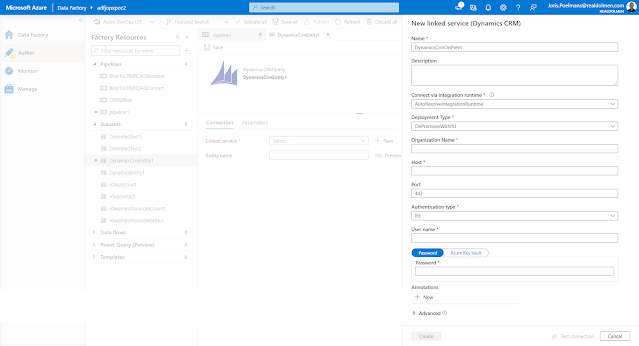
ADF has a connector which supports both Dynamics 365 (cloud version) as well the legacy on-premise versions of Dynamics CRM (version 2015 and higher) - See
Copy data from and to Dynamics 365 (CDS/Dataverse) or Dynamics CRM by using Azure Data Factory for more details). To be able to use on-premise versions of Dynamics CRM, the environment needs to be setup with Internet-facing deployment (IFD) - info on the
ADF connector information to on premise CRM see Dynamics 365 and Dynamics CRM on-premises with IFD is found on the same documentation page
- Setup Git integration for Azure Data Factory - by default, the Azure Data Factory user interface experience (UX) authors directly against the data factory service (live mode). Even when you are not deploying Azure Data Factory artifacts from source control you will benefit from the better developer experience when git integration is enabled.
- For the copy activity, you are required to set the Write Behavior to Upsert when you use Dynamics 365 CRM as a destination (sink). You will need to provide an alternate key or you can leave the alternate key blank when you use the internal ID of CRM within your mapping (See Azure Data Factory: Update an existing record using Dynamics 365 Internal Guid for more details)
References:


